Solid vs Muse from Meta
Solid vs Muse for business work
Solid gives teams agents that share instructions, use separate accounts, and work across the computers and phones a business needs.
Get Started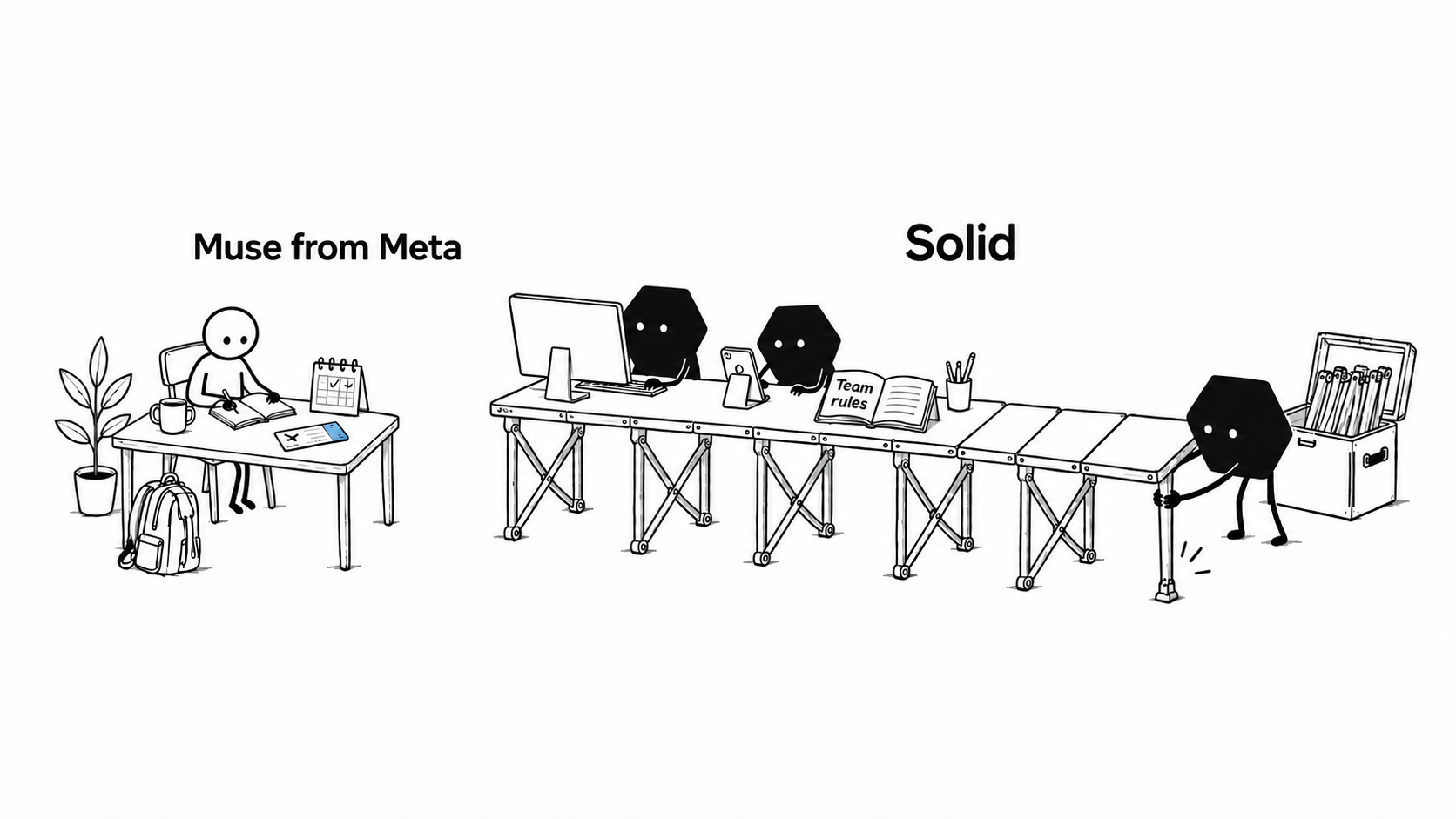
Personal tasks or shared business work?
Personal AI agent
Muse from Meta
Muse from Meta is a personal AI agent, launched on September 8, 2026. It can research, schedule, shop, and build tools on its own cloud computer. You give it tasks through the app or WhatsApp; it remembers your preferences and keeps working after you leave.12
Agents for business teams
Solid
Solid is the operating system for agents that carry out business work. Your team shares instructions, assigns access, and sets spending rules. The agents get the tools they need, work across your software, and check the result.56
Choose Muse for a personal agent. Choose Solid when several people need agents to work under the same business rules.
What Solid adds for a business team
A recurring job should keep its instructions and access when a different colleague takes over.
Keep the team's instructions
Agents remember approved instructions and corrections from across your team, so each colleague can build on what the agents have already learned.
Give agents separate accounts
Equip agents with separate Google and Apple accounts, with access limited to the work your team approves.
Use the software the job needs
Within your access rules, agents can set up computers and phones to use the same software as your team.
Set rules for routine purchases
Give agents a budget for services and tools. Your approval policy determines which purchases they can make and which need your review.
Solid vs Muse feature comparison
Both products remember context, work in the background, and build tools. The differences below matter when you need to share and manage business work.
| Capabilities |  | Muse |
|---|---|---|
| Shared team knowledge | Agents share your team's approved instructions and context under common access rules.5 | You manage personal memory and permissions; shared team administration is unconfirmed.24 |
| Agent accounts | Agents can use separate, approved Google and Apple accounts assigned to them.5 | You connect accounts or sign in through Muse's protected credential flow.3 |
| Computers | Agents can operate approved Windows and macOS computers and Linux servers.5 | You use Meta's hosted Linux computer for code and browser work.3 |
| Phone apps | Agents can operate approved iPhones and Android phones to work in mobile apps.5 | You direct Muse's cloud agent from its mobile apps; agent-operated phones are unconfirmed.3 |
| Budgeted purchases | Agents buy approved services and tools within your budgets and approval rules.57 | You approve every checkout, including purchases using saved cards.3 |
| Deployment choice | Solid offers cloud, VPC, and on-premises options, with availability scoped to your workflow.5 | You use a dedicated cloud computer hosted by Meta.1 |

Give Solid one recurring job, the instructions it should follow, and the access it can use.
Get started with SolidShould you choose Solid or Muse?
Choose Muse for errands and personal projects. Choose Solid for recurring jobs your team needs to manage together.
Choose Muse
A personal agent for everyday tasks
Muse is rolling out in the US as a hosted service, with a free usage allowance and paid upgrades.14
- Assign research, shopping, or scheduling through the Muse app or WhatsApp.
- Let it remember your preferences and continue working while you are away.
- Connect your accounts, set permissions, and approve purchases.
Choose Solid
Agents for work your team shares
Solid fits recurring work that crosses your team's accounts, software, and responsibilities.56
- Share instructions and corrections so agents learn from the whole team.
- Give agents approved accounts, computers, phones, and budgets for the job.
- Let agents set up tools, troubleshoot problems, and check results within your rules.
Give Solid one recurring job, the instructions it should follow, and the access it can use.
Get started with SolidQuestions about using Solid for your team
What should I give Solid for the first job?
Give Solid a job you can check, such as preparing a weekly sales report. Share the data, instructions, and access the agents may use, then set a budget and any approval requirements. The agents can work out the setup and explain what else they need.
Will Solid remember instructions from our team?
Solid's agents retain approved instructions, decisions, corrections, and feedback from across your team. Later jobs can use that knowledge within the access rules you set.
Can Solid's agents work without my personal accounts?
Solid can give individual agents separate, approved Google and Apple accounts. Your team controls what those accounts can access, subject to each provider's policies.
Can Solid's agents use our existing business tools?
Solid's agents can use your existing software through APIs, browsers, desktops, and phones. If a connector is missing, they can build a connection or use the tool's interface, within your approved access and the service's rules.
Can Solid run in our own environment?
Solid can run in Solid Cloud, a customer-controlled virtual private cloud (VPC), or an on-premises environment. Availability and setup need to be scoped for your team's workflow.
How does Solid control spending?
Solid's agents spend within your budgets and approval rules. AI usage, computers, and approved purchases draw from one account balance funded by your subscription. You can ask the agents what a job costs and which resources it uses.
What happens when Solid's agents get stuck?
Solid's agents can inspect a failed job, change tools or repair the setup, and rerun the work to check the fix within your access and approval rules. They retain useful lessons for later jobs. You can bring in a real person when you need help.